

Desktop AppBeta
Storage Explorer
One desktop app for S3, Google Cloud Storage, and Azure Blob.
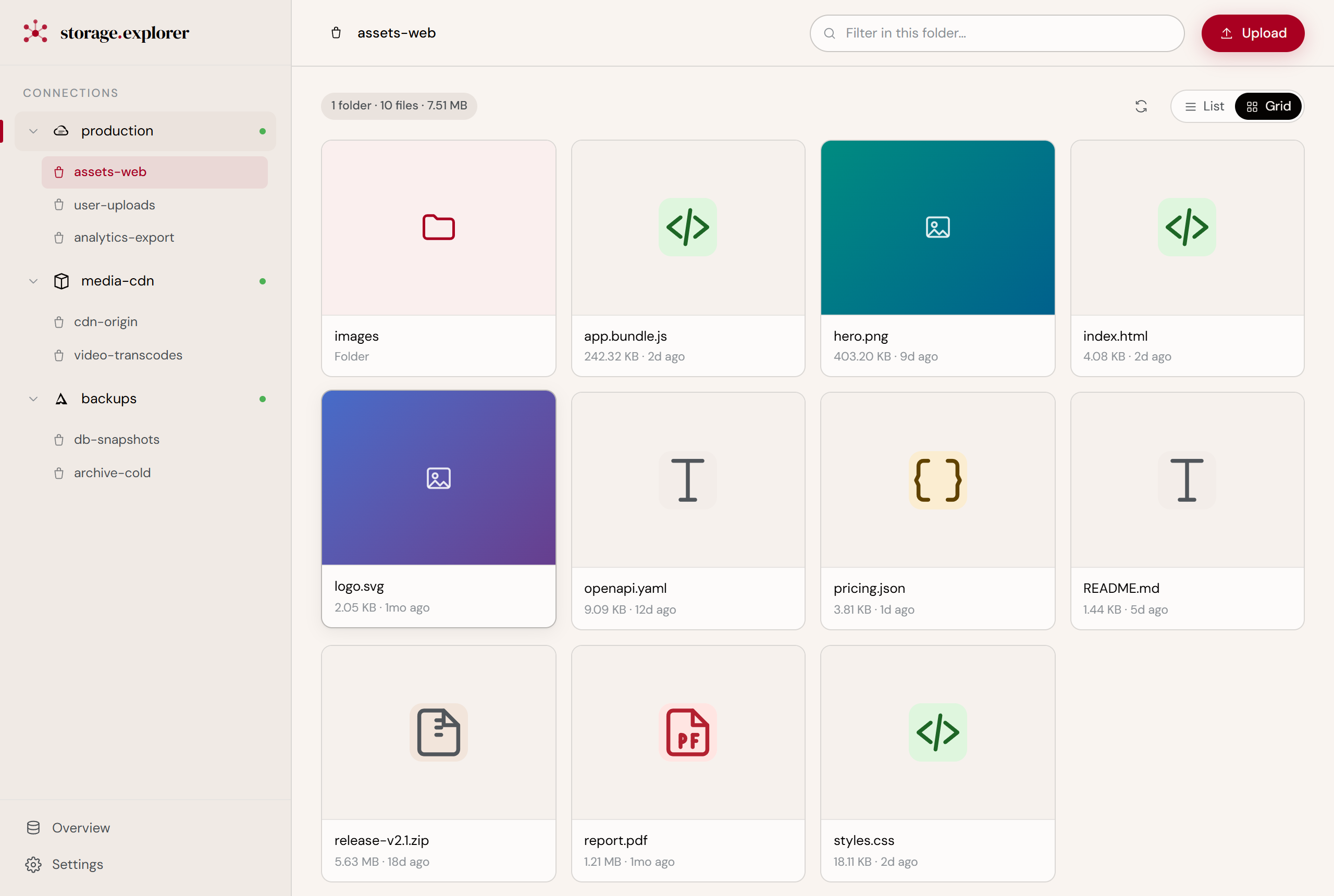
Browse, preview, upload, and delete files across Amazon S3, Google Cloud Storage, and Azure Blob Storage — from a single native app. Your credentials stay encrypted on your own machine.
BetaStorage Explorer is in public beta and free to use. Pricing may change after the beta — early downloads stay free for the beta period.
Works on macOS, Windows, and Linux
Signed and notarized macOS builds
Built on Tauri + Rust
Three clouds. Three consoles. Three logins.
If your files live in S3, GCS, and Azure, you know the routine: a tab for each web console, each with its own slow UI, its own login, its own way of doing the same thing. Copying a file from one cloud to your laptop means clicking through a console that was never built for speed.
Command-line tools work, but aws s3 ls then gsutil ls thenaz storage blob list is three syntaxes for one job.
One app. Every bucket. One way to work.
See all your storage in one place
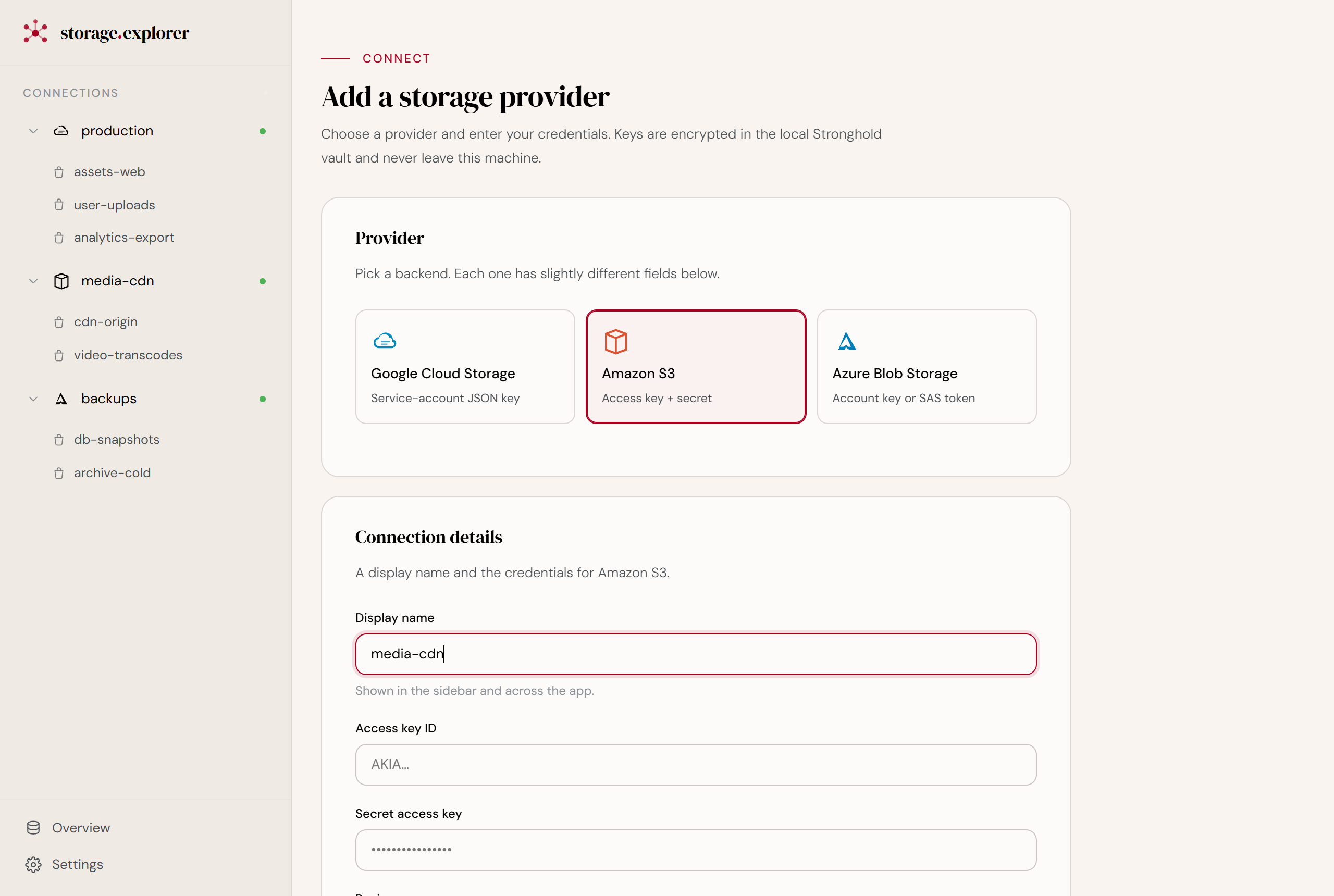
Connect S3, GCS, and Azure providers side by side. Switch between them in the sidebar — same browser, same shortcuts, every cloud.
Preview without downloading
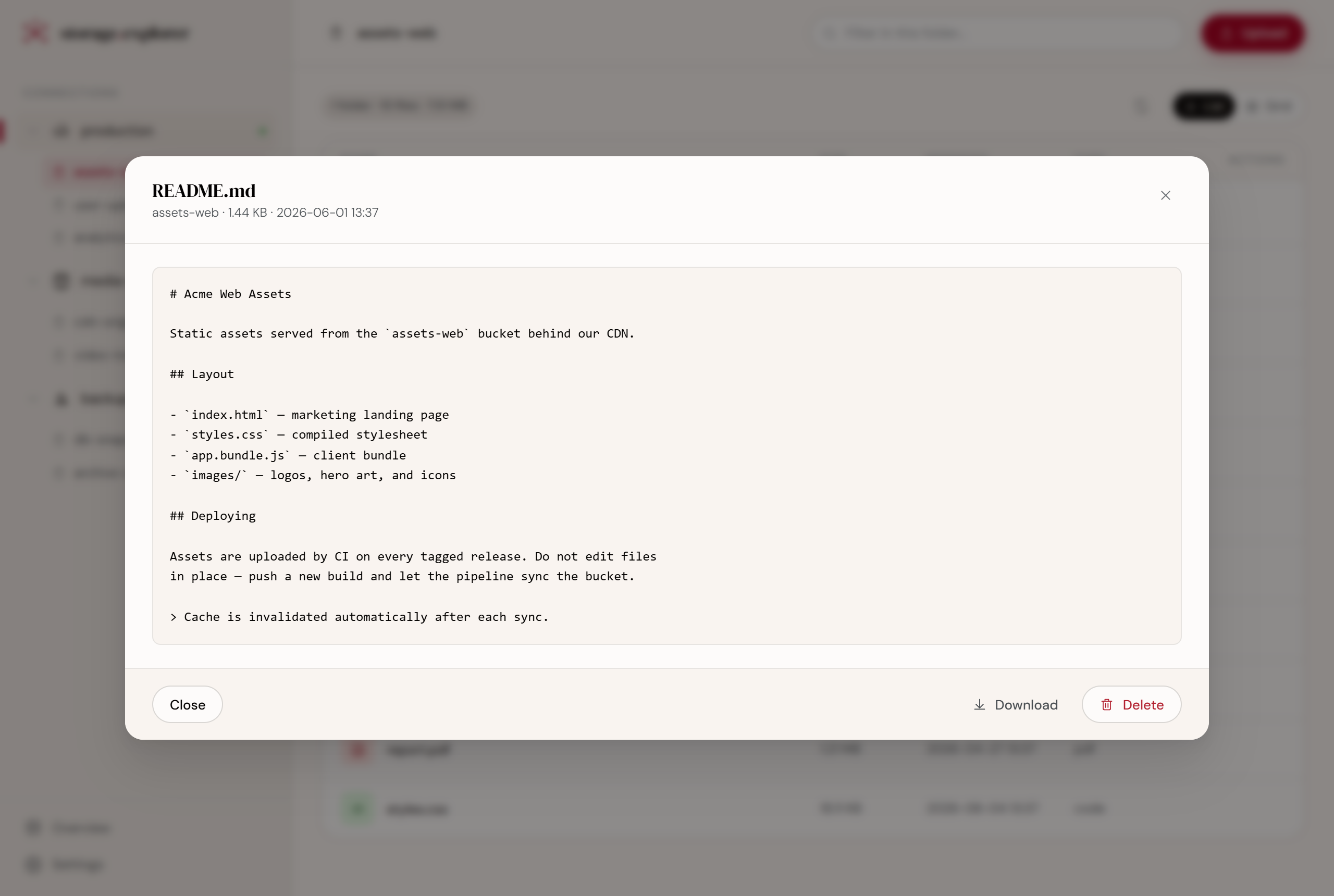
Open images, text, and documents inside the app. Check what a file is before you pull it down.
Move files in seconds
Upload from your machine or download to it with a native file dialog. No drag-into-browser, no progress bars stuck in a tab.
Your keys never leave your laptop
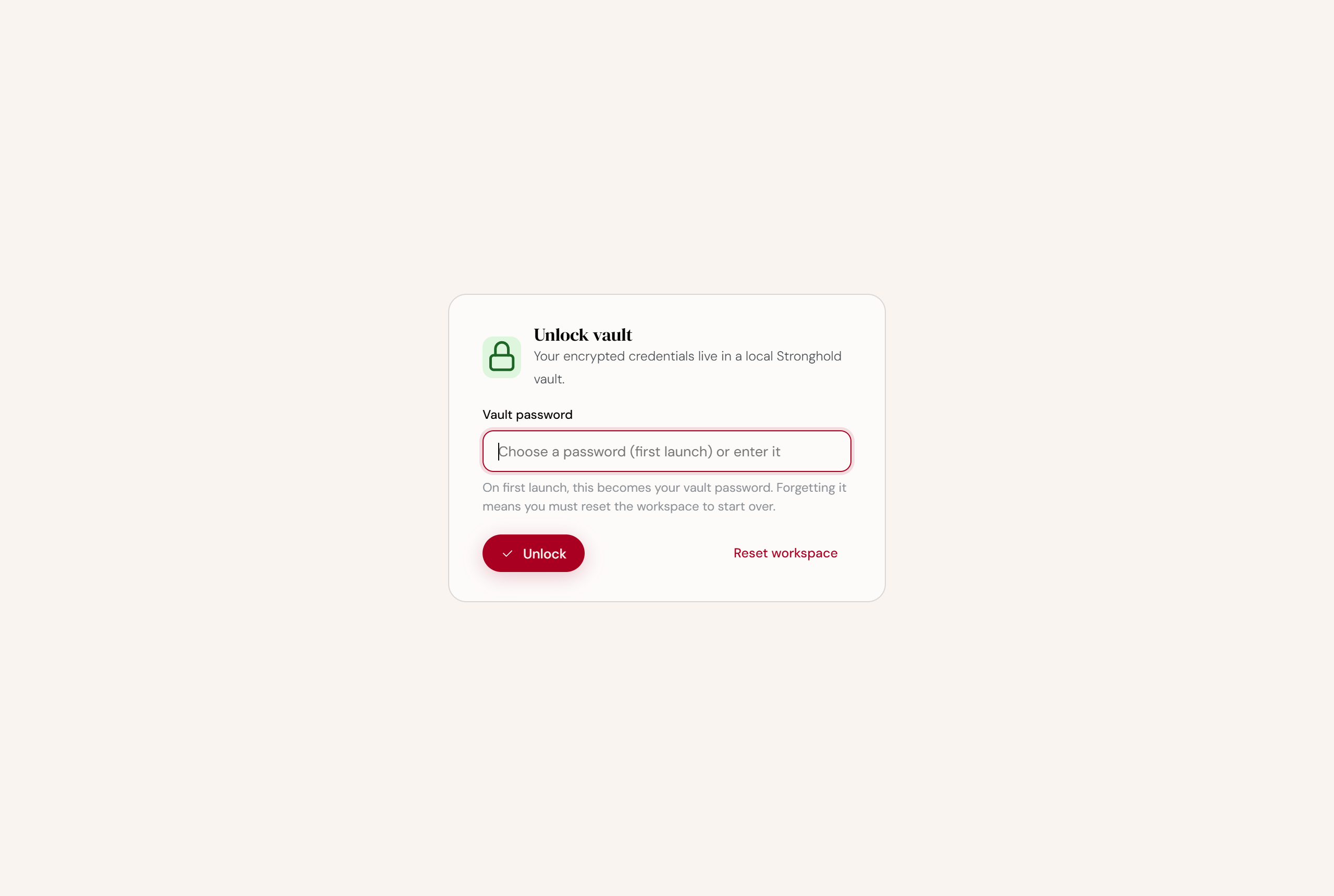
Credentials are stored in an encrypted vault on your own disk, locked behind a master password. Nothing is synced to a server. There is no server.
Native speed
Built with Rust and Tauri, not a wrapped browser. It opens fast and stays light.
Up and running in three steps.
- 1
Add a provider
Paste your S3 keys, a GCS service-account JSON, or an Azure account key / SAS token.
- 2
Set a master password
It encrypts your credential vault locally. You enter it once to unlock.
- 3
Browse and work
Pick a bucket, navigate folders, preview, upload, download, delete.
Questions, answered.
- Where are my cloud credentials stored?
- On your machine only, inside an encrypted Stronghold vault. The vault is unlocked by a master password derived with Argon2. Keys are never transmitted anywhere except directly to the cloud provider you connected.
- Does it phone home?
- No. There is no backend service. The app talks only to AWS, Google, and Azure — the providers you add.
- Which clouds are supported?
- Amazon S3 (and S3-compatible endpoints), Google Cloud Storage, and Azure Blob Storage.
- What can I do with files?
- List buckets, browse folders, view metadata, preview contents, upload, download, and delete.
- What platforms does it run on?
- macOS, Windows, and Linux (deb, AppImage, and rpm).
- Is it free?
- Yes — Storage Explorer is free during the public beta. Pricing may be introduced once it leaves beta, but builds downloaded during the beta stay free for the beta period.
Manage every cloud bucket from one window.
Download Storage Explorer and connect your first provider in under a minute. Your keys stay yours.